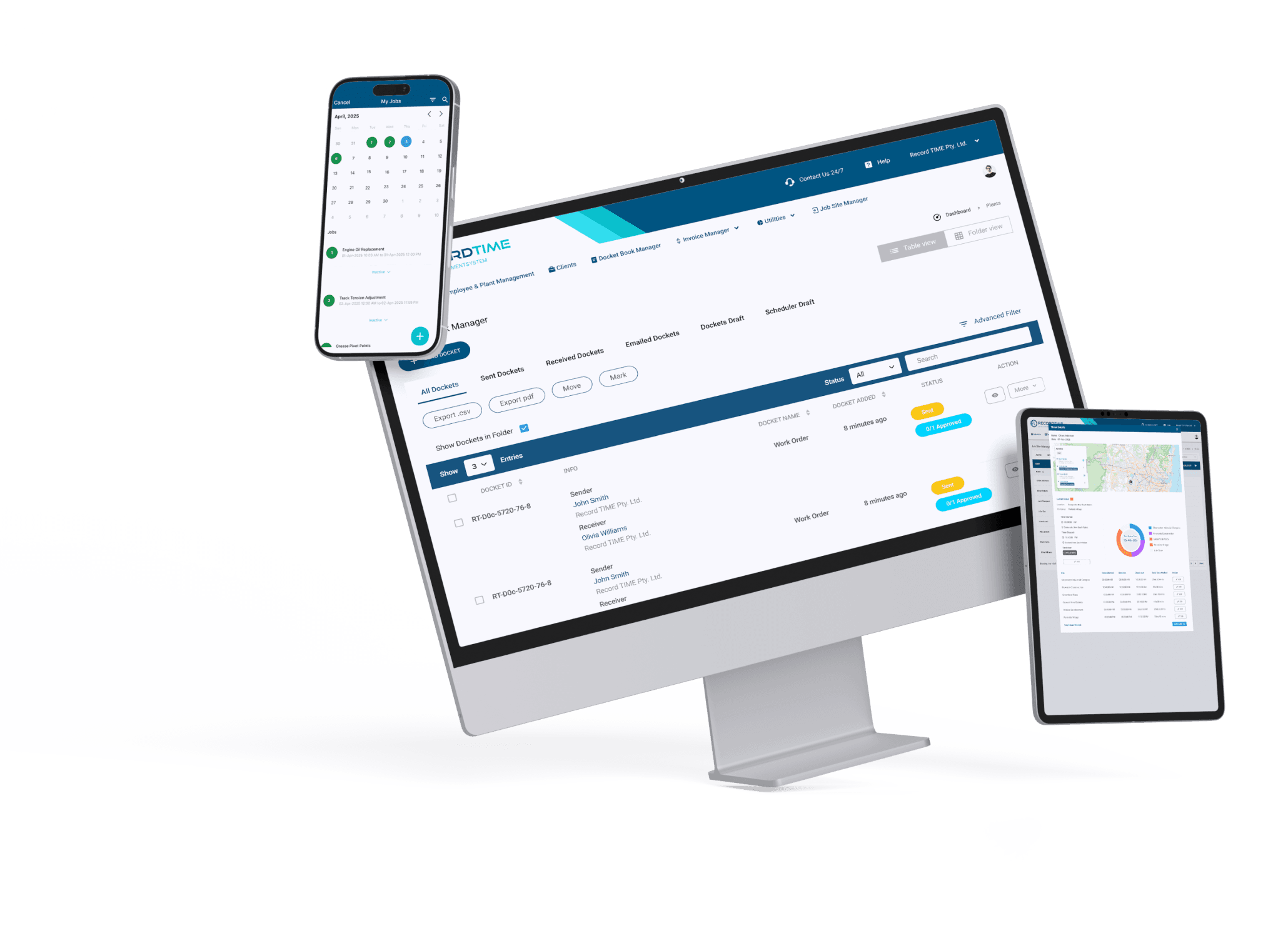
Revolutionising Deliveries with Powerful Proof of Delivery Software

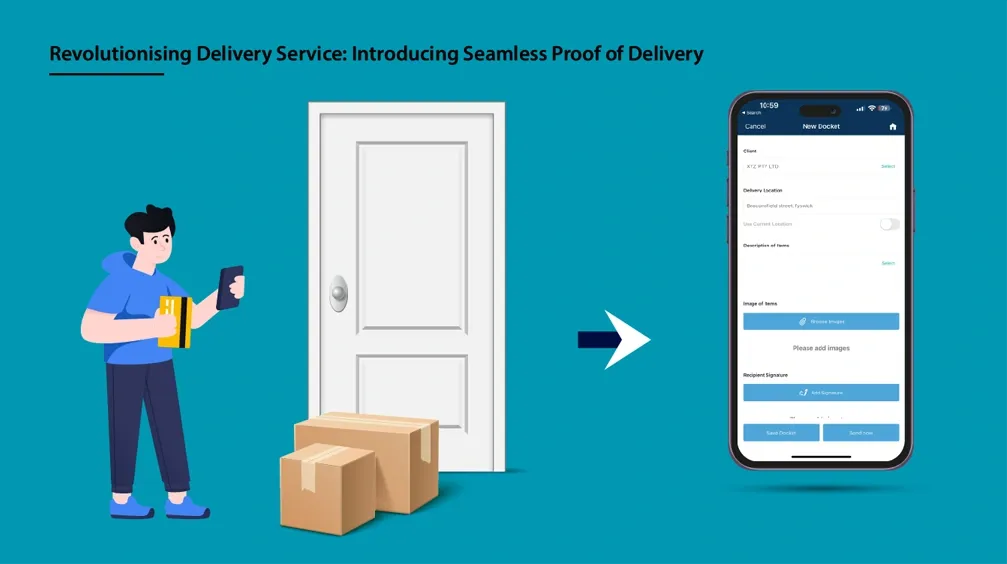
Delivery businesses often grapple with challenges such as communication and proof of delivery accuracy. These hurdles can impact customer satisfaction and operational efficiency. However, implementing proof of delivery software can effectively tackle these issues and enhance customer satisfaction. With this management system, users can seamlessly affix digital signatures and incorporate visual evidence onto the proof of delivery docket with real time tracking. This electronic proof of delivery docket not only gives peace of mind to both sender and receiver but also performs an essential role in solving disagreements or declarations. Use our delivery management solutions to enhance accuracy, accountability, complete visibility, and security with the proof of delivery app.
How to Design an Electronic Proof of Delivery Docket
Today we will design a proof of delivery docket that can be used by any logistics company or anyone involved in delivering items. This docket template will encompass essential elements such as capture electronic signatures, photographs of the delivered items, along with various other pertinent details to make the delivery process seamless. To begin the process of this proof of delivery software, let's delve into the key components of this docket template.
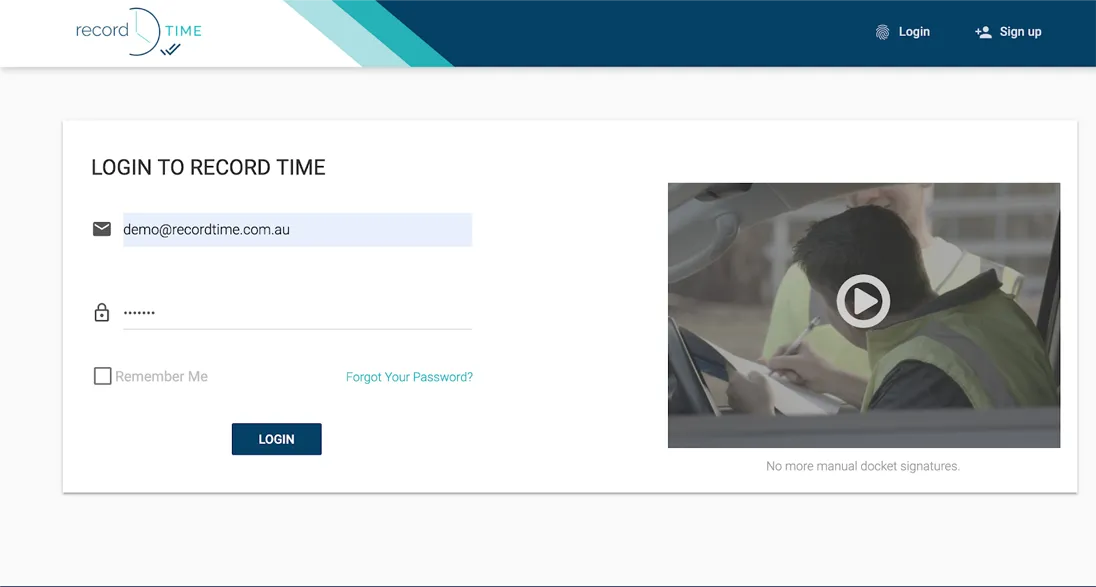
1. First, log on to Record TIME using your details as shown below:
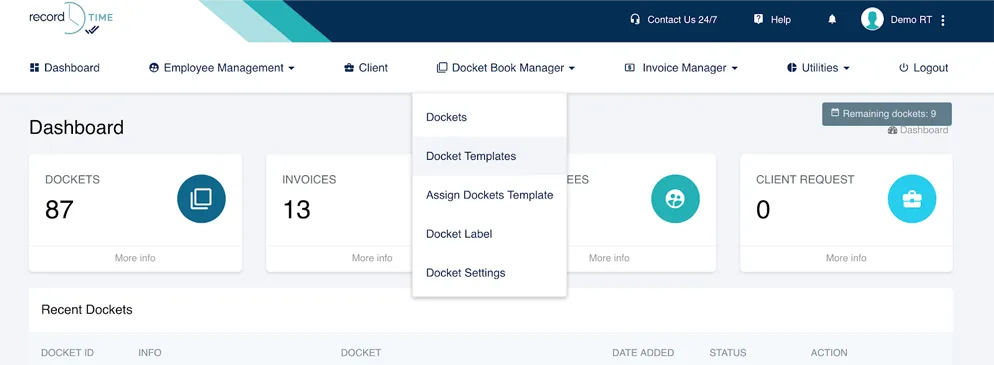
2. Then, click Docket Book Manager and then click Docket Templates as shown below:
3. Click Add New
And call your docket, delivery docket.
4. Add a short text field by clicking the short text field box from the docket elements box.
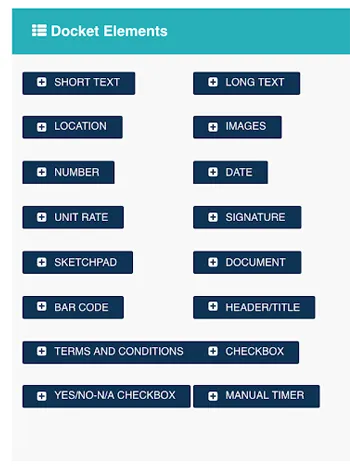
Call this template. “Delivery Driver” as shown below.
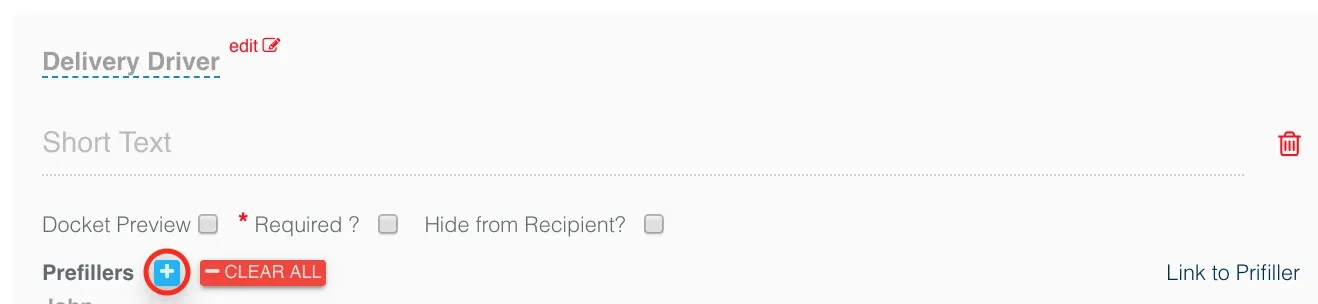
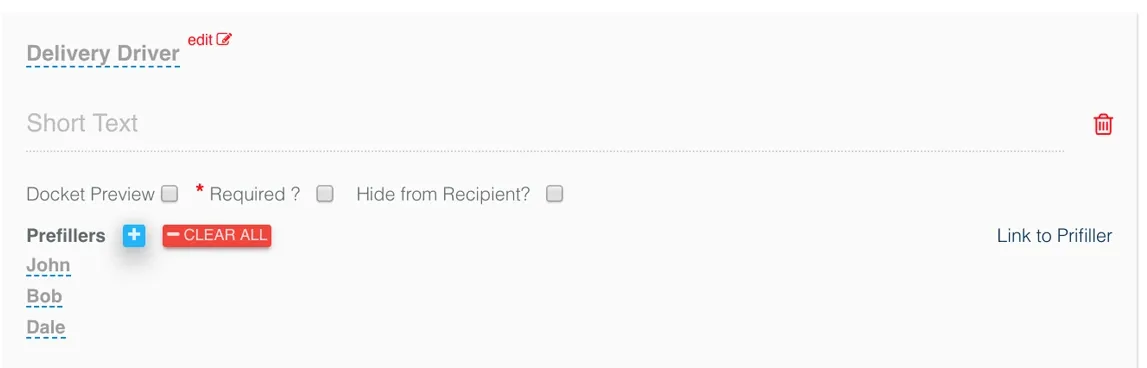
5. Next, press the plus button shown above to add some names to the pre filler. Pre fillers are drop down lists that you can set-up so that the end users can just select from a list. Add a few names:
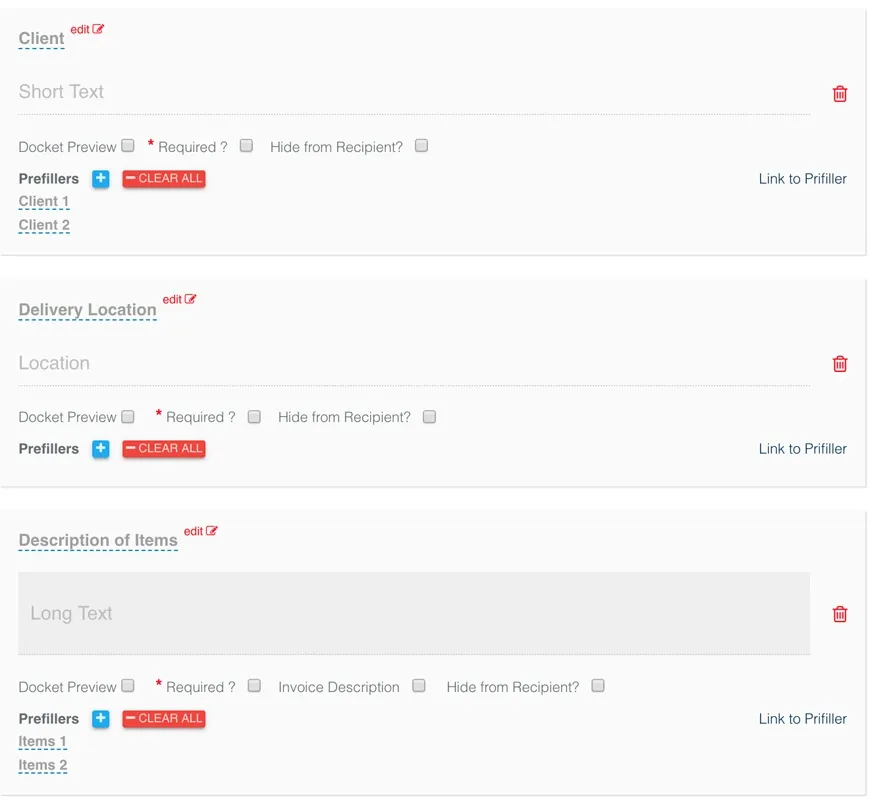
6. Add another short text field called “Client” and a location field called “Delivery Location”. You can use pre fillers here as well to load some common clients and locations. Finally, go ahead and add a long text field called “Description of Items”:
7. Next, add an image field called “Image of Items” and a signature field called “Recipient Signature”:
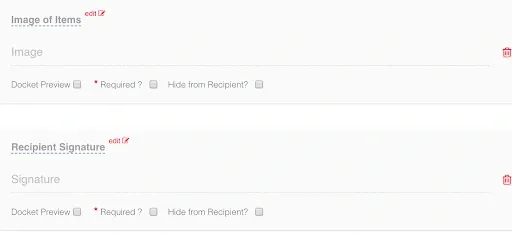
8. That's it! Finally, you have successfully designed your first electronic proof of delivery docket.
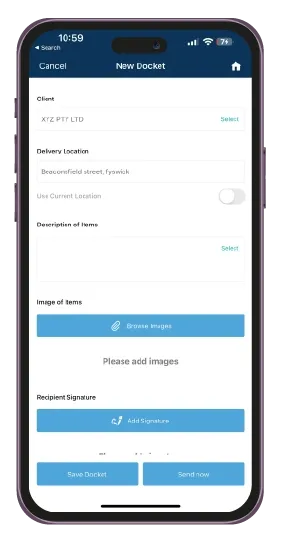
This comprehensive delivery management software provides all the tools necessary to ensure accurate and efficient proof of delivery documentation in any logistics operations. Businesses can track deliveries in real time and provide undeniable proof of delivery solutions with this delivery software.
Get the Record TIME app today.
Download our simple job management app today for less admin and more work.


No credit card required. Cancel anytime.